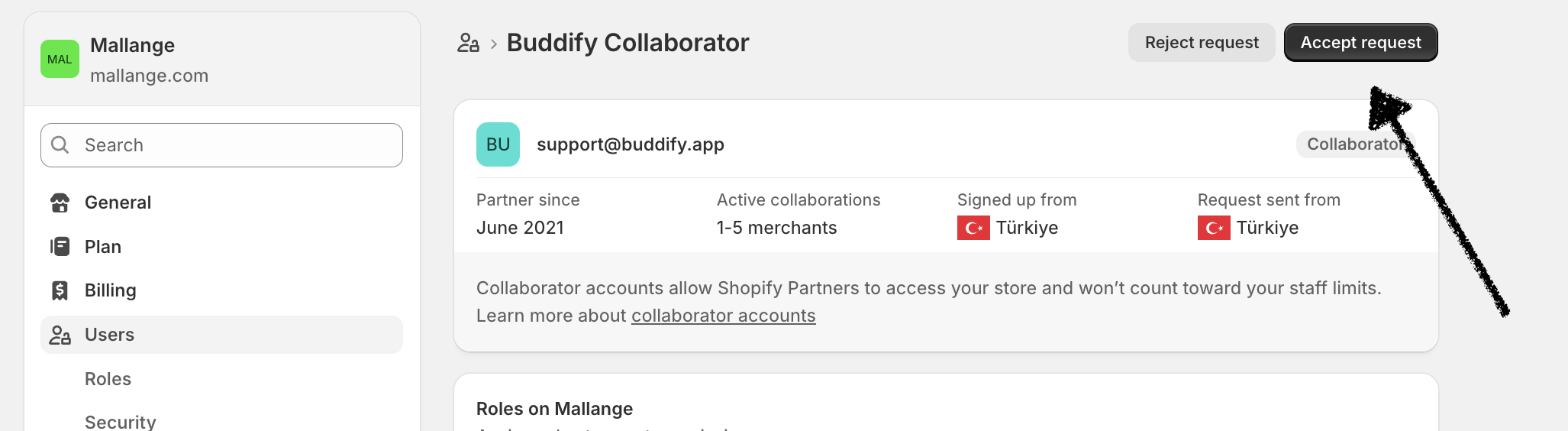
How to Accept a Store Access Request
Updated
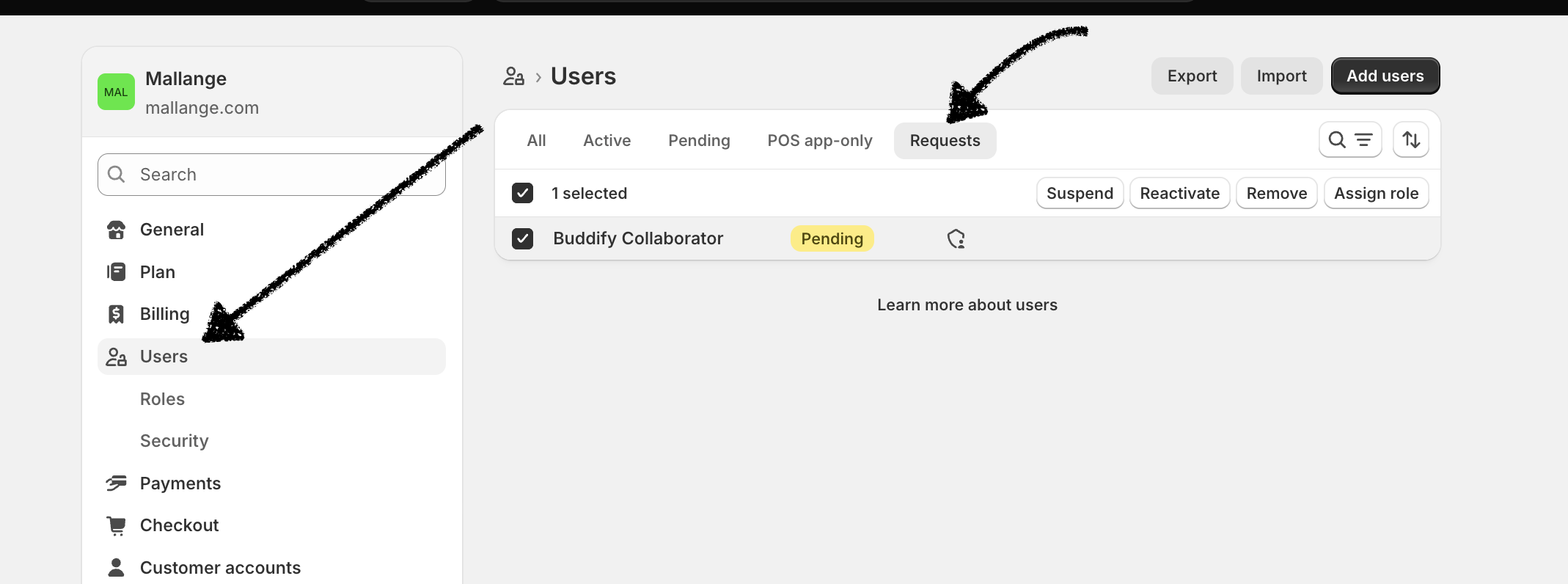
Our team can set up Buddy AI on your store for you if you'd like. You can accept our access request directly from your Shopify Dashboard. You’ll find it under Notifications, or by going to Settings → Users → Requests, as shown in the image below.