How do I disable discounts for specific collections?
Updated
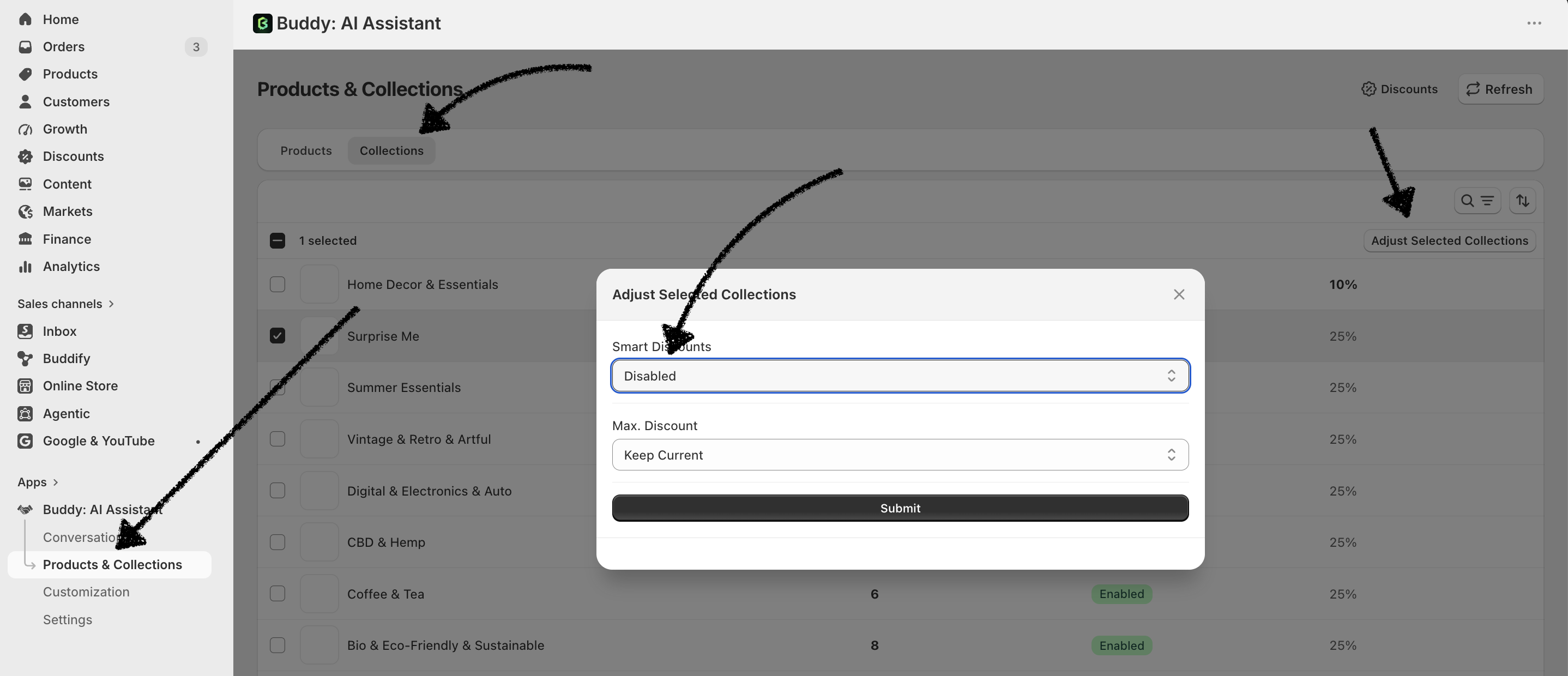
Absolutely! You can do this by opening the Buddy AI app and navigating to Products & Collections.
From there:
Select the Collections tab.
Check the box next to the collection(s) you want to modify.
Click Adjust Selected Collections in the top-right corner.
Toggle Disable for the selected collections.
This will prevent Buddy AI from offering discounts on those collections, allowing you to offer discounts only for the collections you choose.
Please refer to the image below for guidance.